I Built an Agent Skill That Lets Any AI Manage Your Google Drive
I'm deep in a Claude Code session. I need to pull a file from Drive, or upload something, or share a folder with a client. And I'm context-switching constantly.
I kept running into the same thing over and over.
I'm deep in a Claude Code session. I need to pull a file from Drive, or upload something, or share a folder with a client. And I'm context-switching constantly. Terminal, browser, Drive, back to terminal. It's not a big deal once or twice, but when you're shipping things fast, that friction adds up.
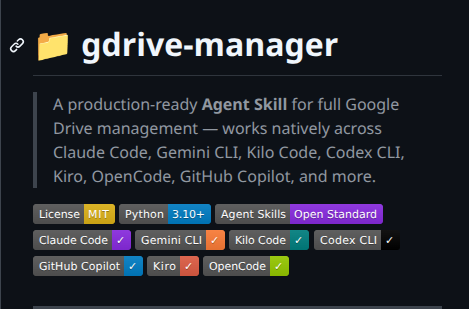
So I built gdrive-manager.
It's an Agent Skill, which means it's a single folder you drop into your AI agent's skills directory, and from that point on your agent knows how to fully manage Google Drive. Create files, upload folders, search by content, share with people, trash things safely. All from inside your coding session.
What Problem This Actually Solves
The pattern I was stuck in looked like this: I'd be building something, need to reference a doc or upload a deliverable, and suddenly I'm not building anymore. I'm managing files manually.
The bigger issue is that "AI can access my Drive" usually means a read-only MCP connector, not actual Drive management. There's a difference between Claude being able to search your Drive and Claude being able to move files around, batch upload a folder tree, or revoke sharing permissions. gdrive-manager is about the second thing.
How It Works
The project follows the Agent Skills open standard, which basically means a SKILL.md file plus some executable Python scripts. When an agent loads the skill, it reads the instructions in SKILL.md and can call scripts/gdrive.py directly via bash tool calls.
The CLI itself covers everything I actually needed:
# List files in root or a specific folder
python scripts/gdrive.py list
python scripts/gdrive.py list --parent FOLDER_ID

# Search by name or full text
python scripts/gdrive.py search --name "budget"
python scripts/gdrive.py search --text "invoice"

# Upload a file or an entire folder tree
python scripts/gdrive.py upload --src ./project-folder --to FOLDER_ID

# Download a file or folder (with auto-export from Google Workspace formats)
python scripts/gdrive.py download --id FOLDER_ID --dest ./backups

# Share with someone
python scripts/gdrive.py share --id FILE_ID --email user@example.com --role writer

# Trash (recoverable) or permanently delete (with confirmation both times)
python scripts/gdrive.py trash --id FILE_ID
python scripts/gdrive.py delete --id FILE_ID
All commands also support --out json if you need structured output for piping into something else.
The Part I Cared Most About: Safety
The first thing I thought about when building this was: what happens when the agent makes a mistake with delete.
The answer is that it can't, silently. Every destructive operation routes through scripts/safety.py, and the guardrails are enforced in code, not just instructions. There's no prompt or flag that bypasses them.

Comments
Lovable Leaks Source Code: The $6.6B BOLA Vulnerability
An 8 million user platform ignored a critical BOLA vulnerability for 48 days. How a $6.6B AI app builder leaked source code, credentials, and user data.
Google Released Gemma 4 for Free. Here Is Why That Makes Sense.
Gemma 4 dropped April 2, 2026 under Apache 2.0 with full commercial rights. This is what the architecture actually does and what Google is really after.
Build a Full Stack App for Under $5 Per Month
Learn how to build and deploy a full stack app using Next.js Supabase Railway and Cloudflare for under $5 per month. Beginner friendly step by step guide.
Tagged